























4-Step Ordering Process
Ordering Guide
Four simple steps to complete your purchase and track your order easily
1
1. Register / Login
Upon visiting our website, click "Register" or "Login" in the top right corner to manage your account, track order status, and save your shipping addresses.
2
2. Select Products
Browse for your required IT equipment and networking products via the search bar or product categories, then click "Add to Cart".
Note: If an item is marked as "Pre-order" or "Check Availability", we recommend contacting customer service to confirm the latest lead time before ordering.
3
3. Checkout & Payment
Click the shopping cart icon in the top right corner to proceed to checkout. Complete the recipient info and shipping address, then make a secure online payment.
4
4. Order Confirmation
Once payment is completed, you will receive an instant order confirmation email. Please wait while our customer service arranges fulfillment and delivery.
Payment Methods
Online Payment Methods
Visa
Mastercard
Google Pay
Apple Pay
Alipay HK
WeChat Pay
Tap & Go
PayMe (HSBC)
FPS
Bank Transfer
Note:
。Please be aware of any transaction fees associated with different payment methods.
。For high-value items, the recipient may be required to present identification as proof of delivery.
。For self-pickup, the cardholder must collect the items in person and present the credit card along with a valid photo ID for verification.
。Please be aware of any transaction fees associated with different payment methods.
。For high-value items, the recipient may be required to present identification as proof of delivery.
。For self-pickup, the cardholder must collect the items in person and present the credit card along with a valid photo ID for verification.
Offline / In-Store Payment Methods
Cash in Store
Smart POS (Tap / Scan)
FPS
Mobile Banking Transfer
ATM Deposit / Transfer
Cheque
Note:
。For cheque payments, order shipment will only be arranged on the next business day after the funds have cleared.
。For credit card payments, customers may be required to present identification to verify the cardholder's identity.
。For cheque payments, order shipment will only be arranged on the next business day after the funds have cleared.
。For credit card payments, customers may be required to present identification to verify the cardholder's identity.
Bank Account Details
Payment Tip: Please retain the bank-in slip or transaction screenshot after payment and send it to us via WhatsApp or Email. This will help us verify and process your order much faster.
HSBC
Account Number
454-371071-838
Account Holder
HIN KWONG COMPUTER TECHNOLOGY CO.
Bank of East Asia (BEA)
Account Number
015-25668028667
Account Holder
HIN KWONG COMPUTER TECHNOLOGY CO.
Faster Payment System (FPS)
FPS Mobile No. / Bank Account
90619051 or
454-371071-838
Account Holder
HIN KWONG COMPUTER TECHNOLOGY CO.
⚠️ Payment Remarks: Please enter your Order Number in the "Remarks / Message" field when making the payment.
PayMe (HSBC)
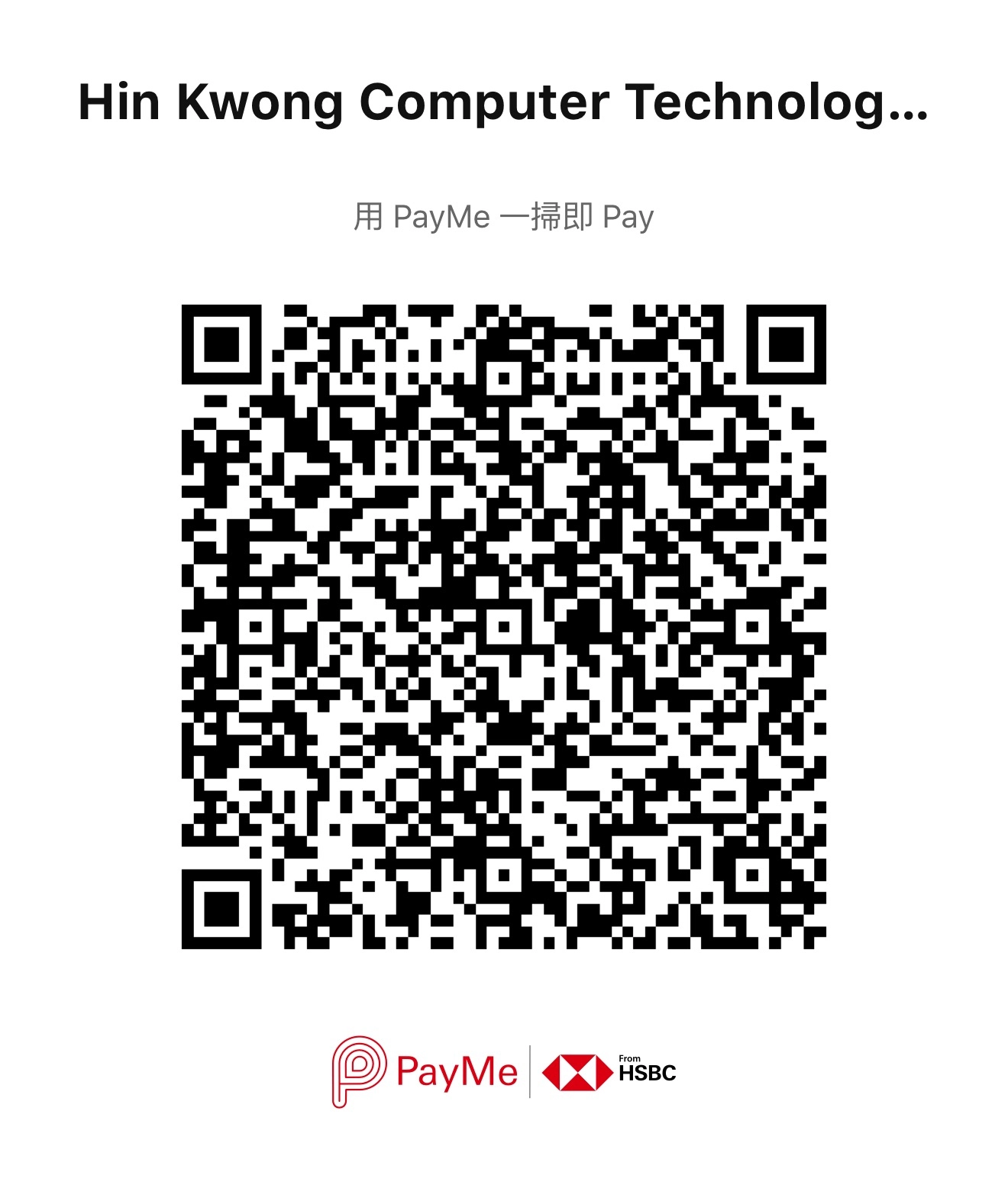
Scan QR code to pay


